Find your next programme
See what's on now and later in one guide. Add favourites so the channels you watch stay close.
 Lounge
A clear guide. The channels you reach for. A place for everyone's favourites.
Lounge is a personal player for LG televisions. Add a playlist or Xtream account from your provider and make yourself at home.
Requires the beta build already installed on your TV, supplied through your beta contact.
How it worksFree beta. Bring your own content. No channels or subscriptions are included.
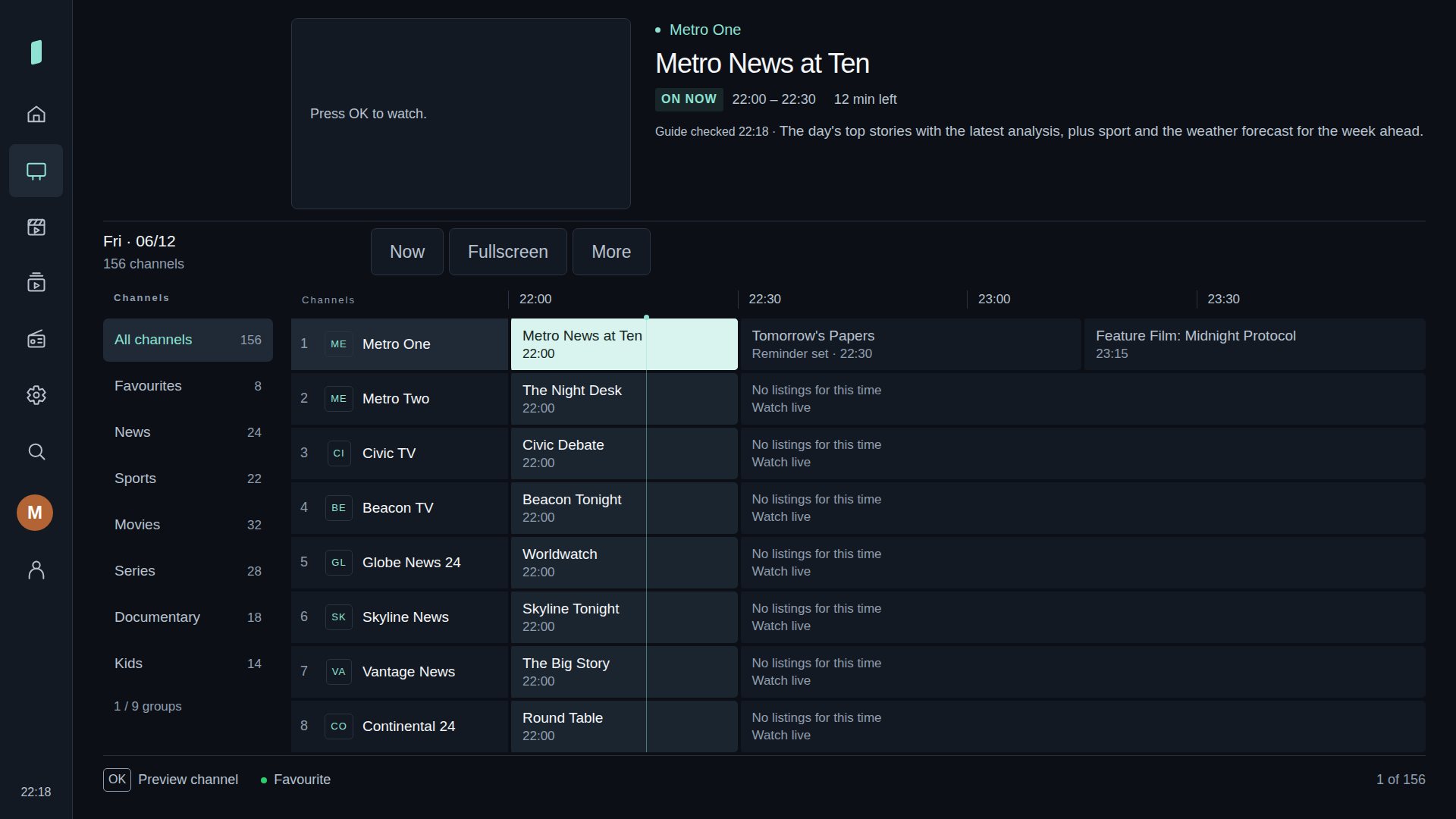
See what's on now and later in one guide. Add favourites so the channels you watch stay close.
Household profiles keep favourites and viewing preferences separate. Use a child profile for a smaller, controlled library.
Scan the QR code on your TV. Add a source, organise your library and transfer an encrypted backup from your phone.
Actual app screenshots. Fictional channels and artwork show how your own library could look.
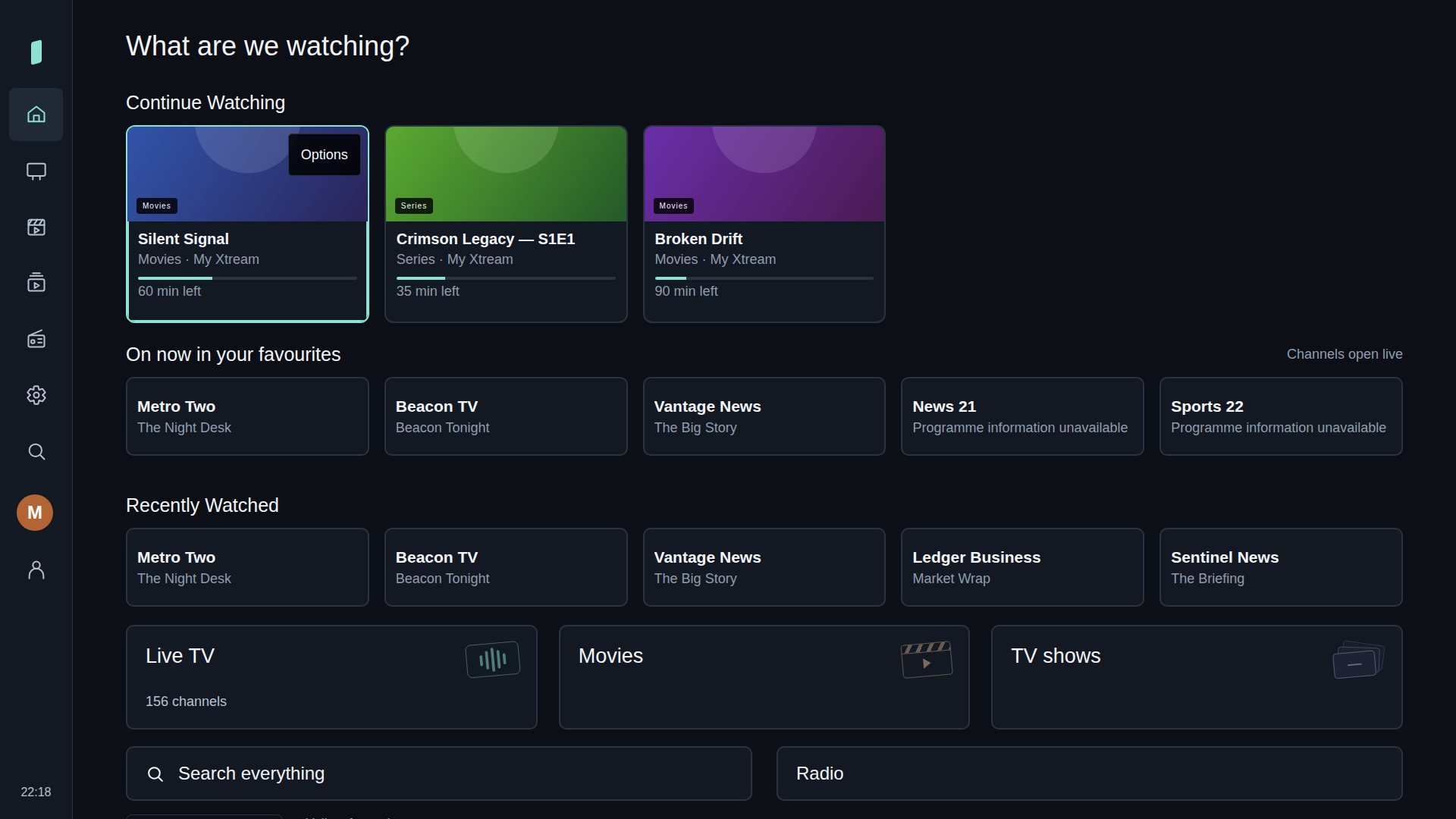
Your favourites and recent viewing on Home.
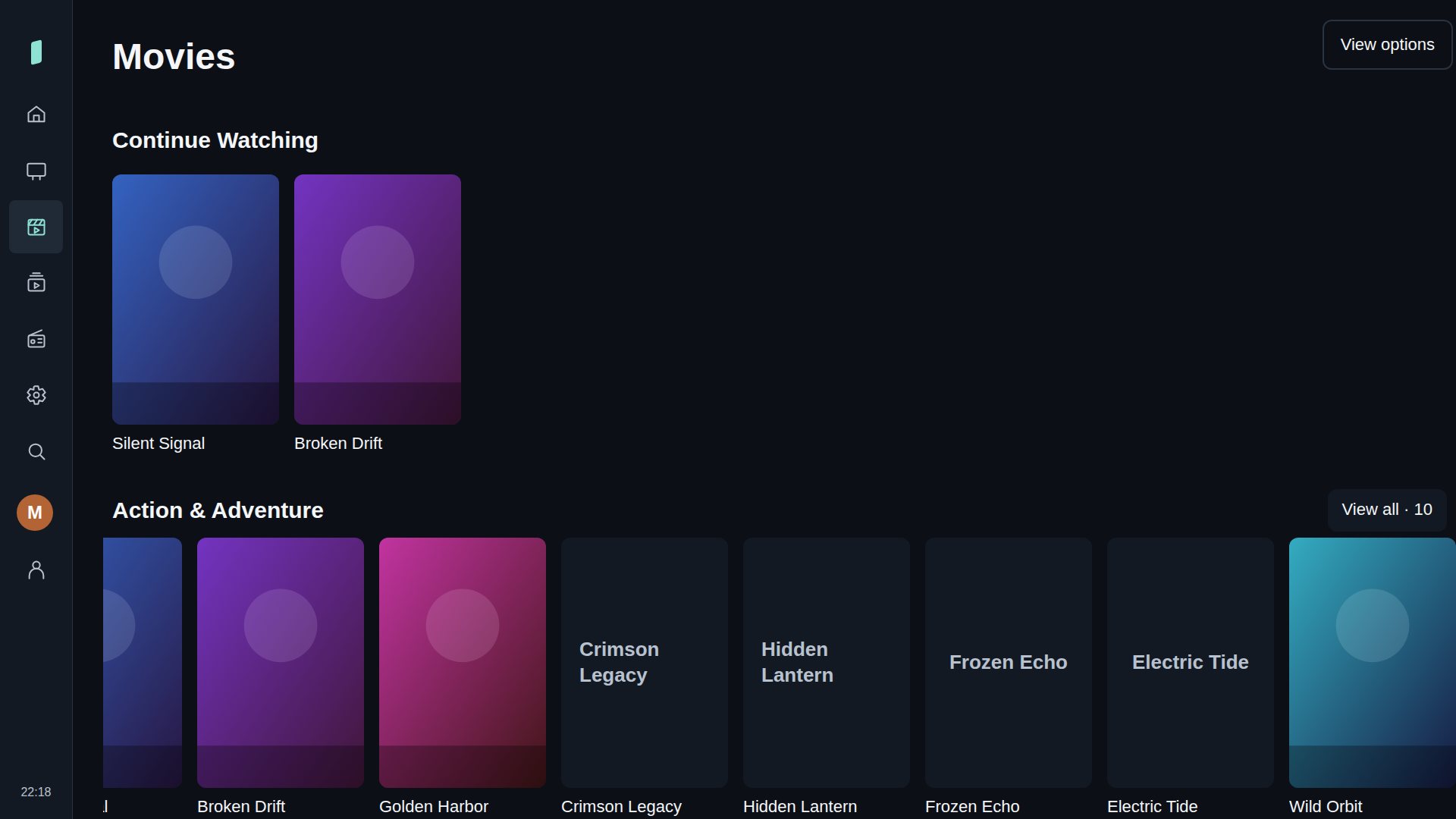
Films and TV shows from your Xtream account.
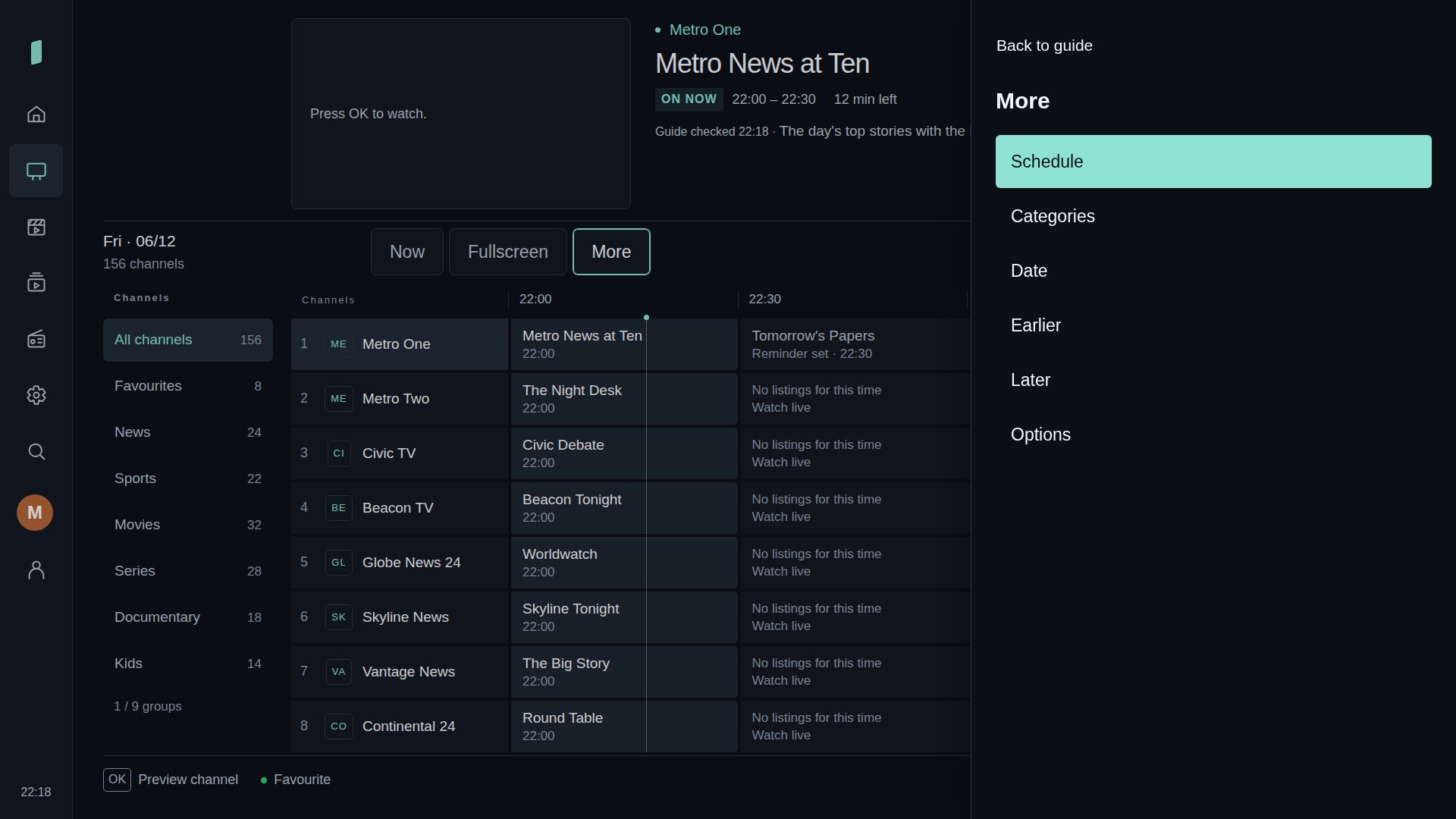
Dates, categories and options open beside the schedule.
Select any screenshot to view it at full size.
No computer server is needed for website pairing. Keep Lounge open on the TV while you make changes.
Use the beta build supplied to you. Choose Set up with your phone to show a QR code.
Your phone opens a temporary connection to that TV. Keep the code private.
Use an M3U playlist URL, a playlist file or an Xtream account. Lounge checks the source on your TV before adding it.
Lounge is being tested on LG webOS televisions. Compatibility varies by TV, stream format and provider. A retail supported-device list and public store release have not been confirmed.